
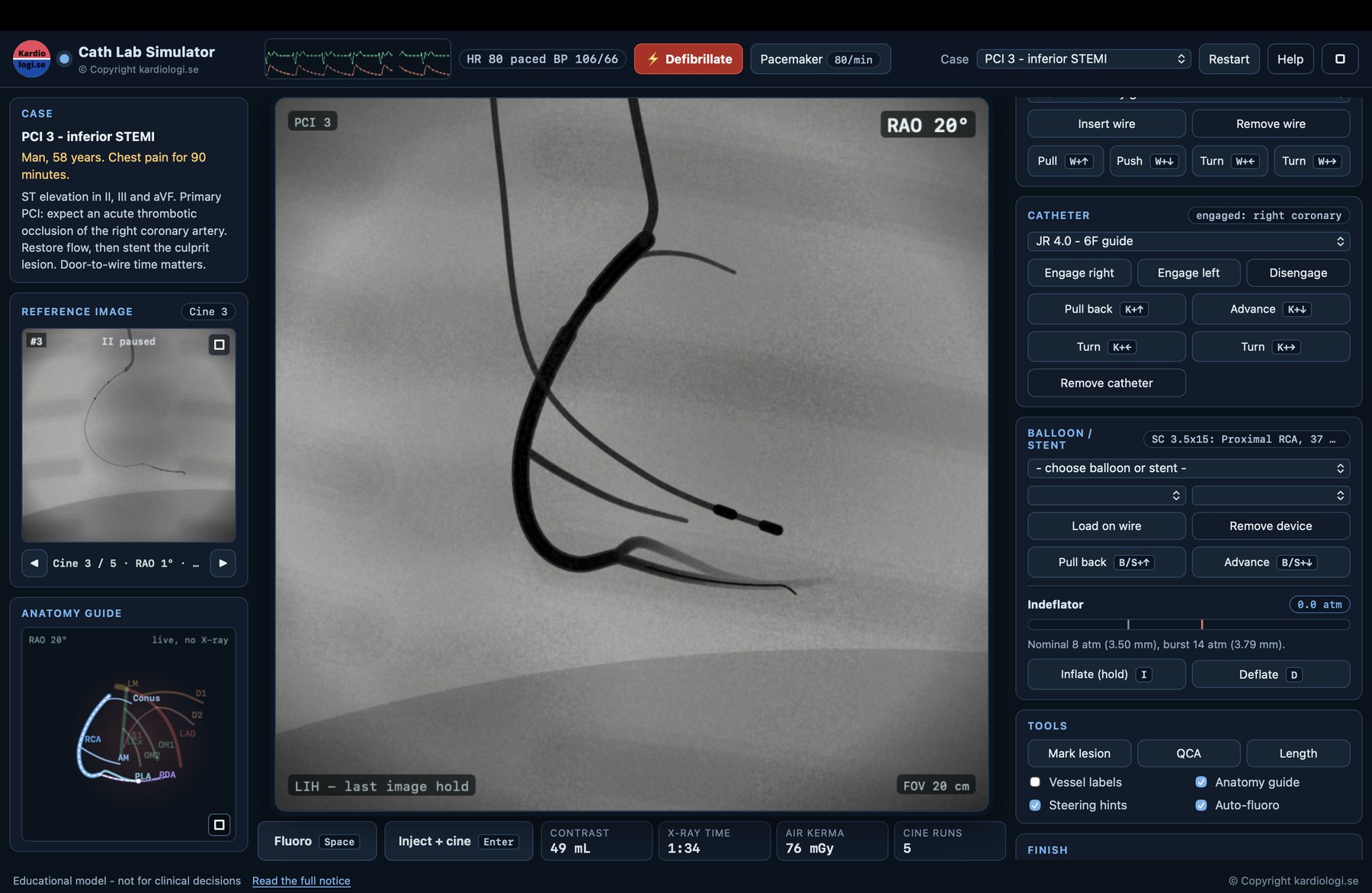
Ever wanted to try a primary PCI without a patient on the table? Open the cath lab simulator, pick a case and take over. You move the C-arm, engage the coronary artery, inject contrast, cross the lesion and deploy the stent. It is free, and there is nothing to install.
What you can do
- Find your views. Rotate the C-arm between RAO and LAO, cranial and caudal, or jump straight to standard projections such as the spider view.
- Handle the equipment. Choose guidewires, catheters, balloons and stents, and inflate with the indeflator.
- Work through real scenarios. Start with normal coronaries to learn the anatomy, then move on to cases such as an inferior STEMI.
- Watch your numbers. Contrast volume, fluoroscopy time and radiation dose are counted, just like in the lab.
- Measure and review. Use QCA, replay your cine runs and go through the result afterwards.
Who it is for
Cardiology fellows and residents, cath lab nurses and technologists, medical students, and anyone curious about what happens behind the lead glass.
Getting started
You need a computer with a keyboard. Hold Space for fluoroscopy and Enter for contrast and cine. An anatomy guide and steering hints help you along. The simulator is not built for phones.
Still in development
New cases and features are on the way. Tell us what works, what doesn’t and what you would like to see next.
Important
This is a practice tool and not a medical device. It is a simplified teaching model and must not be used for diagnosis, treatment decisions or procedure planning in real patients. It does not replace training or clinical supervision.
Get in touch
Feedback, ideas, or interested in using the simulator for training at your clinic, in courses or at congresses? Send us a message.


Last Updated on november 16, 2026 by Christian Dworeck
